Pipelines
Works with:
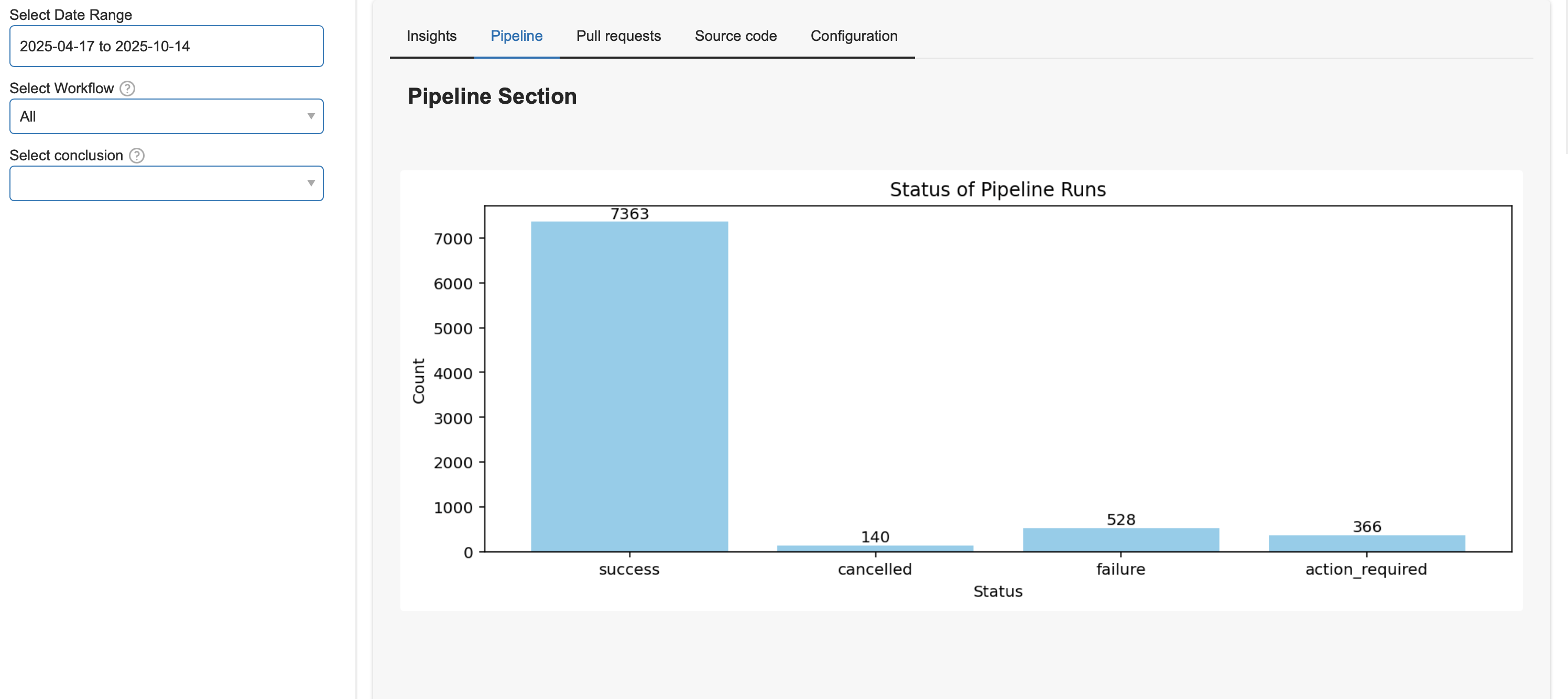
GitHubThe pipelines section is at the core of any CI/CD system. It provides a high-level overview of the pipelines that have been executed, their statuses, and key metrics related to their performance at a glance. It focuses on first, a quick statuses run for the pipelines, and second, on the time it takes to run them.
Pipeline by Status
Pipeline Runs by Time
Computes the number of pipeline runs over time and returns a time series plot showing how many pipeline executions were triggered in the given time frame. Aggregated by week or month.
smm pipelines runs-byPipeline Runs Duration
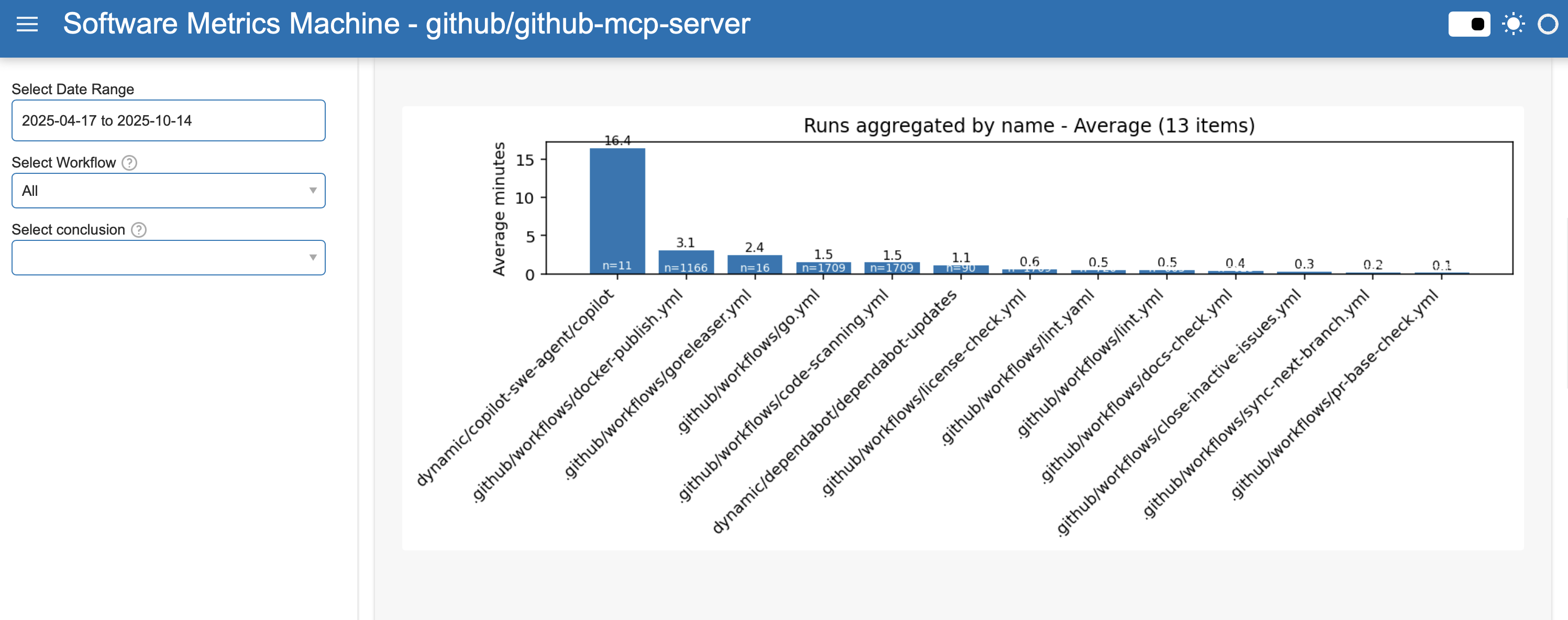
Computes the duration of each pipeline run over time and returns a time series plot showing how long each pipeline execution took to complete in minutes. The time taken is calculated based on the sum of all individual jobs executed in the pipeline, excluding skipped jobs.
Dashboard filters
Use these filters in the Pipelines dashboard tab.
Date range filters
| Dashboard filter | Backend query parameter |
|---|---|
startDate | start_date |
endDate | end_date |
Pipelines-specific filters
| Dashboard filter | Backend query parameter |
|---|---|
workflowSelector | workflow_path |
workflowStatus[] | status |
workflowConclusions[] | conclusion |
jobSelector[] | job_name |
branch[] | branch |
event[] | event |
aggregateMetric | metric |
For list filters ([]), the dashboard sends comma-separated values.
Pipeline Summary
Summary of pipelines executed showing total runs, statuses, first and last run available from the data.
Not available yet.
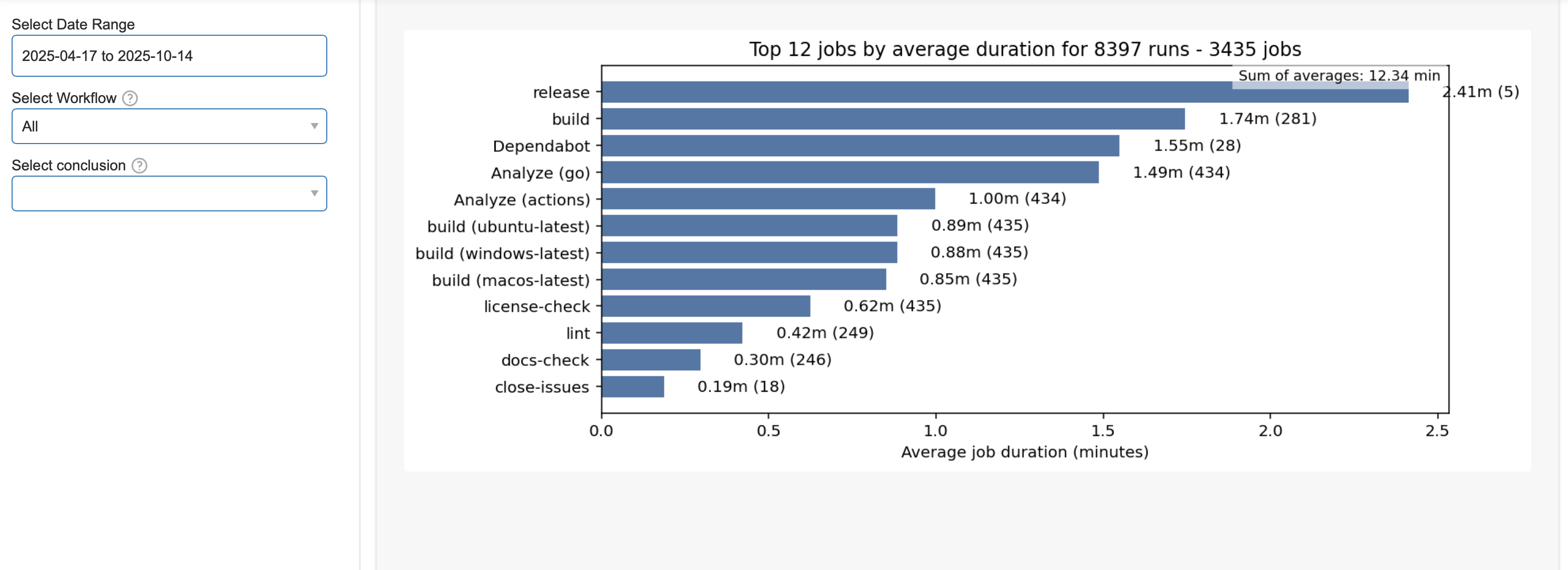
Jobs Average Time Execution
Jobs are the building blocks of any pipeline. They represent individual tasks or steps that need to be executed as part of the overall pipeline process. This command associates the jobs wih their corresponding pipeline execution.
Jobs by Status
smm pipelines jobs-by-statusNot available yet.
Jobs Summary
smm pipelines jobs-summaryNot available yet.